 Adventure Frontier
Chapter 1: How to play
Welcome to Adventure Frontier!
Adventure Frontier is a captivating RPG game that offers an immersive gaming experience, allowing you to take control of your own character and embark on thrilling adventures in a fantastical world. As you progress through the game, you'll have the chance to strengthen and equip your character with powerful equipment. With each level you achieve, your character's skills and abilities will grow stronger, enabling you to take on even more formidable foes and overcome greater challenges.
🔄 The gameplay loop
In Adventure Frontier you defeat opponents, participate in raids, fight duels against other players, complete quests and much more in order to level up your character, which in turn allows you to get more powerful equipment. The most important action to perform in order to progress is /attack. Every couple of levels, you'll need to move on to the next enemy using /travel. At that point, you'll also be able to open better loot chests to get better equipment!
TIP: It is recommended to check your /stats periodically to see which cooldowns have ended!
🧭 Finding one's way through the game
Adventure Frontier includes an easy-to-use navigation menu, which can be opened by using the command /menu, or by clicking the "Open Menu" button in the Adventure Frontier channel. The bot can also be used with Commands; a list of all commands can be found in /help
🎥 Video Guide
If you prefer watching a video over reading our guide, check out this video by Emtee and TheVioletBombshell!
https://youtu.be/FouN7K-K8dk
Chapter 2: Levels and Experience
⬆️ Leveling up
As you engage in various activities within the game, such as battling foes or engaging in duels, you will earn Experience points. Once you accumulate enough Experience, your character's level will ascend by one. To track your progress, you can access your current Experience level, as well as the amount of Experience required to reach the next level, by typing the command /stats in the game.
Reaching a new level increases your stats and strengthens your character and allows you to acquire more powerful equipment from /crates, /vote and raids.
🔶 Sources of Experience
These are your ways of getting Experience:
- Defeating an opponent with /attack
- Completing a Quest in /quest
- Participating in a Duel against another player
- Exploring a location with /explore
Chapter 3: Combat and Stats
🗡️ /attack
The /attack command is your primary means of advancing, which attacks your current opponent. Defeating an enemy rewards 🔶 Experience, 🪙 Coins and occasionaly an <:explorers_kit:1040800685337346068> Explorer's Kit. When an enemy defeats you, you can /revive yourself for 100 🪙 Coins. A health potion can be used to prevent that, but be strategic when to use them!
📜 Your Stats
You can defeat enemies more efficiently by increasing your stats. There are 5 stats that affect your combat:
🗡️ Strength increases your damage done
🏃 Stamina increases your max ❤️ Health
🥷 Agility reduces your /attack cooldown
🛡️ Armor reduces damage taken
📖 Intellect improves your spell damage
🍀 Critical Hit Chance increases the chance of dealing critical damage
💥 Critical Hit Damage increases the damage from a Critical Hit
⬆️ Improving your stats
Enhancing your statistics is possible through leveling up, obtaining more potent gear, or utilizing the /altar, where you can upgrade your character by sacrificing 🪙 Coins.
Chapter 4: Crates, Gear and Items
📦 Crates
Crates contain useful items like Equipment, Potions and Runes. You can purchase crates from /crates with Coins, or you can get a daily free crate with /votes. You can also acquire a crate by winning a /duel. Last, participating in a Raid will grant you loot that is significantly more powerful than what you would typically obtain.
🛡️ Gear
You can strengthen your character by equipping stronger gear. You can see what gear you're wearing in /stats or on the Dashboard (accessible via /menu). You can equip gearpieces by clicking the "Use" button in /inventory, by typing /use, or by clicking the item in the Web Dashboard.
🧪 Potions
You can drink potions to temporarily improve your character. There are 3 potion effects:
Agility Decreases your /attack cooldown
Stamina Decreases your damage taken
Strength Increases your damage dealt
You can use potions by clicking the "Use" button in /inventory, by typing /use, or by clicking the item in the Web Dashboard.
<:runicrune:1084973322799960174> Runes and Spells
Runes allow you to /cast powerful spells, which often deal significantly more damage than a normal attack. Casting spells has no cooldown, but the rune is consumed when you cast your spell.
Chapter 5: Quests, Duels and Raids
❗ Quests
You can open your current quest with /quest. Every 12 hours the quest refreshes and a new quest becomes available, which means you have 12 hours to complete your quest. Quests reward a lot of Experience, and in some cases useful items!
⚔️ Duels
You can use /duel to send a Duel request to a potential adversary. They have 1 minute to accept your request. When they do, a duel will commence in your DM with the bot. Duels are turn-based and have different types of attack, the damage of which depends on your opponent's choice. The winner of a duel is rewarded with a Crate and Experience; the loser gets rewarded with a smaller amount of Experience. You can get the best rewards by fighting an enemy of a similar level.
💀 Raids
The most powerful loot in the game can be obtained from Raids. A raid lasts 10 minutes. If you and your fellow adventurers can defeat a raid within that time you will be rewarded with very powerful loot. The rarity of your reward depends on your level and which boss is defeated. Raids can only be started by server admins. Admins can be appointed in the /adminmenu
Chapter 6: Trading and Professions
🛠️ Professions
Professions can be used to gather materials and craft them into useful items. You can have 1 profession at a time (2 if you're 👑 Member). You can switch professions every week. Currently, there are 3 professions:
- Mining & Runecrafting
Allows you to craft runes to /cast powerful spells
- Herbalism & Potion Brewing
Allows you to craft potions to temporarily boost your character
- Enchanting & Disenchanting
Allows you to disenchant gear into materials used to enchant armor and weapons with powerful bonuses!
Note: You do not need the enchanting profession to /enchant items with scrolls!
- Hunting & Exploring
This profession lets you /hunt for materials and craft useful items, including Explorer's Kits!
🤝 Trading
You can trade with users using the /trade command. You will then receive a link to the dashboard to create your trade requests. Any profession materials or items produced by professions can be traded, Gear (Armor and Weapons) and Coins can not be traded. A trade request is valid for 30 minutes.
Chapter 7: Membership and Premium
❤️ Support Adventure Frontier & Get Benefits!
Adventure Frontier offers 2 premium services: Membership and Premium. Membership is an upgrade you can purchase for your character, while Premium is an upgrade for your server, and can only be purchased by Server Admins.
👑 Membership
You can upgrade your account to Membership status by using /membership. Upgrading your account gives you the following perks:
➡️ Get a non-stop 10% Exp Boost!
➡️ Get 20 extra inventory slots!
➡️ /duel cooldown of 4 hours instead of 6!
➡️ Get access to Member-exclusive avatars!
➡️ Get 3 runes instead of 1 from /runes!
➡️ Have the ability to learn 2 professions!
➡️ Get a special role in our official server!
👑 Premium
As a server admin, you can upgrade your server to Premium status using /premium. Upgrading your server gives you the following perks:
➡️ Get 50 admin credits daily!
➡️ Get a 12-hour server-wide Exp Boost every week!
➡️ Decrease your guild's raid cooldown to 12 hours!
Chapter 8: Server Management
⚠️ This page is mainly for server admins
⚙️ Admin Menu
Admins can access the /adminmenu, which can either be opened using the command or via the menu, this button is only visible for server admins. From the admin menu you can easily:
➡️ Drop a crate
➡️ Start an Exp Boost (👑 Premium Only)
➡️ Start a Raid
⚙️ Appointing Admins
You can choose a role to be the "Admin" role. Users with this role can manage the bot and use the admin menu. This role can be defined with /setadminrole
⚙️ Admin Credits
You need Admin credits to drop crates or start raids. These credits reset to 25 (50 for 👑 Premium servers) every 24 hours. Unspent admin credits do not carry over to the next day
Young Wolf

HP: 500
Damage: 10 - 30
Min. Level: 0
Max. Level: 3
Min. Coins: 100
Small Boar

HP: 550
Damage: 11 - 33
Min. Level: 0
Max. Level: 3
Min. Coins: 105
Black Bear

HP: 480
Damage: 9 - 28
Min. Level: 0
Max. Level: 3
Min. Coins: 95
Goblin

HP: 975
Damage: 30 - 50
Min. Level: 3
Max. Level: 7
Min. Coins: 150
Masked Bandit

HP: 1025
Damage: 31 - 52
Min. Level: 3
Max. Level: 7
Min. Coins: 157
Highwayman

HP: 950
Damage: 29 - 48
Min. Level: 3
Max. Level: 7
Min. Coins: 143
Stonefist Ogre

HP: 1450
Damage: 50 - 70
Min. Level: 7
Max. Level: 11
Min. Coins: 225
Sporewalker

HP: 1525
Damage: 52 - 73
Min. Level: 7
Max. Level: 11
Min. Coins: 235
Mire Warden

HP: 1400
Damage: 48 - 68
Min. Level: 7
Max. Level: 11
Min. Coins: 215
Blackhammer Orc

HP: 2400
Damage: 70 - 90
Min. Level: 11
Max. Level: 15
Min. Coins: 375
Cragspire Golem

HP: 2520
Damage: 73 - 94
Min. Level: 11
Max. Level: 15
Min. Coins: 390
Cragspire Wolf

HP: 2280
Damage: 67 - 86
Min. Level: 11
Max. Level: 15
Min. Coins: 360
Elydian Battlemage

HP: 4000
Damage: 80 - 95
Min. Level: 15
Max. Level: 21
Min. Coins: 490
Elydian Crusader

HP: 4200
Damage: 84 - 100
Min. Level: 15
Max. Level: 21
Min. Coins: 514
Enslaved Infernal

HP: 3800
Damage: 76 - 90
Min. Level: 15
Max. Level: 21
Min. Coins: 465
Grassy Golem
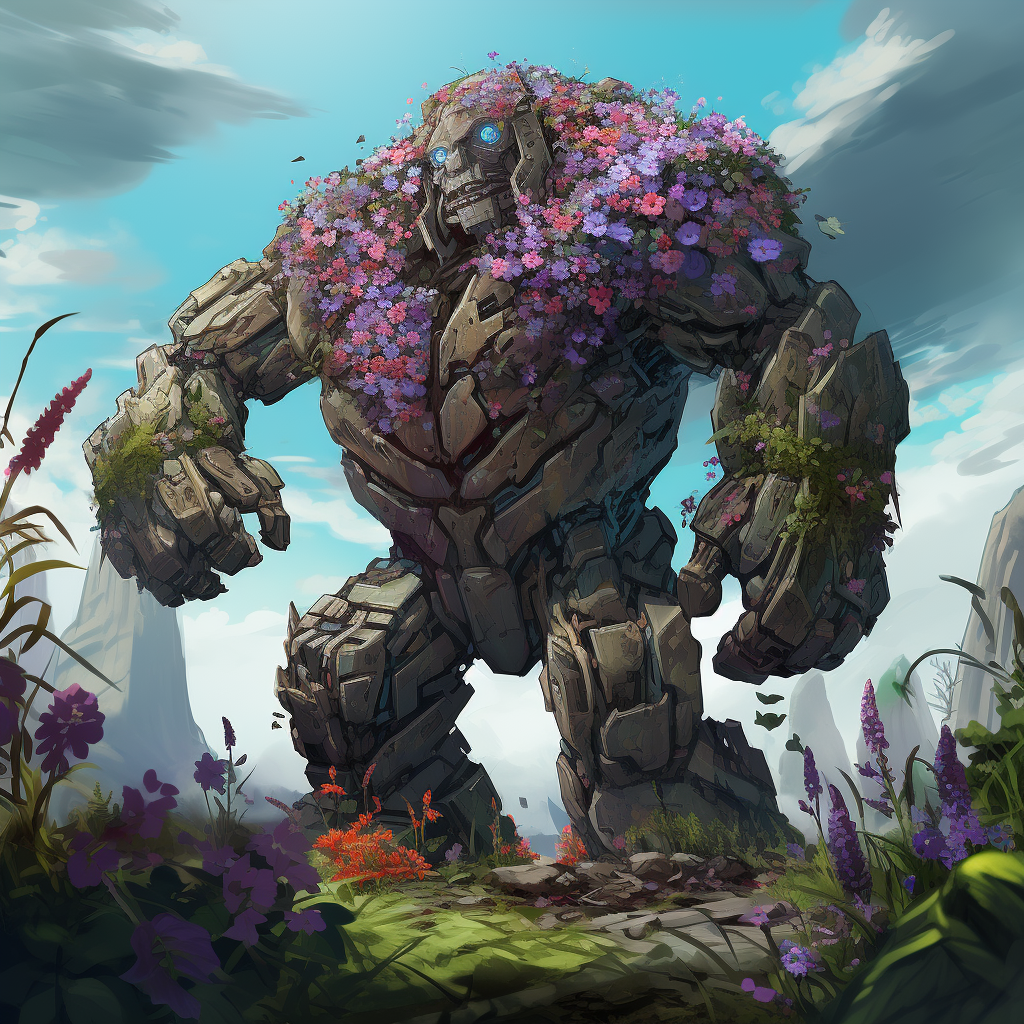
HP: 5800
Damage: 95 - 105
Min. Level: 20
Max. Level: 23
Min. Coins: 710
Tempest Tyrant

HP: 6100
Damage: 100 - 110
Min. Level: 20
Max. Level: 23
Min. Coins: 745
Thundering Ravager

HP: 5500
Damage: 90 - 100
Min. Level: 20
Max. Level: 23
Min. Coins: 675
Forsaken Gladiator

HP: 7600
Damage: 105 - 120
Min. Level: 23
Max. Level: 27
Min. Coins: 970
Dune Serpent

HP: 8000
Damage: 110 - 126
Min. Level: 23
Max. Level: 27
Min. Coins: 1019
Desert Wolf

HP: 7200
Damage: 100 - 114
Min. Level: 23
Max. Level: 27
Min. Coins: 922
Infernal Hellhound
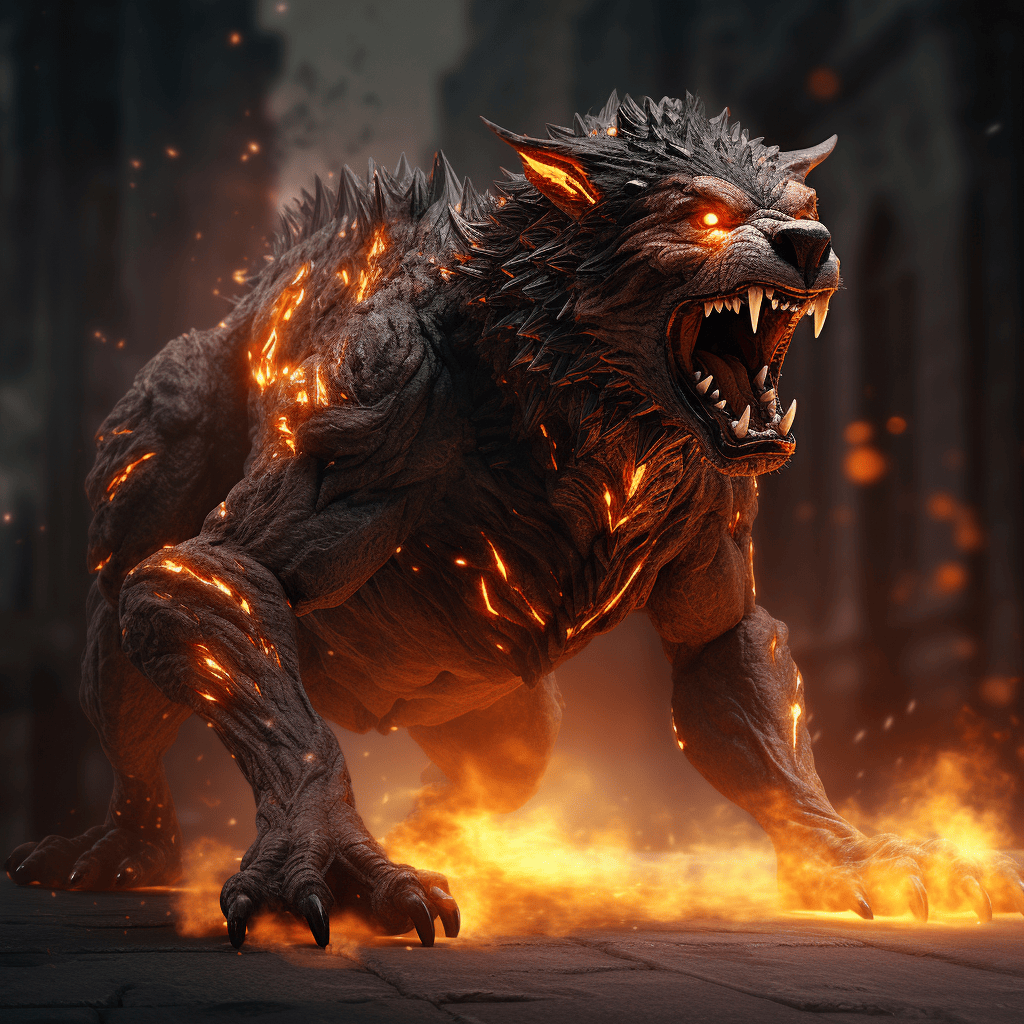
HP: 12000
Damage: 130 - 280
Min. Level: 27
Max. Level: 31
Min. Coins: 1400
Scorched Assassin

HP: 12600
Damage: 136 - 294
Min. Level: 27
Max. Level: 31
Min. Coins: 1470
Scorched Sentinel

HP: 11400
Damage: 124 - 266
Min. Level: 27
Max. Level: 31
Min. Coins: 1330
Abyssal Sea Snake

HP: 14500
Damage: 160 - 280
Min. Level: 31
Max. Level: 34
Min. Coins: 1700
Deep-sea Lurker

HP: 15250
Damage: 168 - 294
Min. Level: 31
Max. Level: 34
Min. Coins: 1785
Murkfiend

HP: 13750
Damage: 152 - 266
Min. Level: 31
Max. Level: 34
Min. Coins: 1615
Shadow Rogue

HP: 16800
Damage: 180 - 280
Min. Level: 34
Max. Level: 37
Min. Coins: 2000
Shadow Archangel

HP: 17640
Damage: 189 - 294
Min. Level: 34
Max. Level: 37
Min. Coins: 2100
Skeletal Warrior

HP: 15960
Damage: 171 - 266
Min. Level: 34
Max. Level: 37
Min. Coins: 1900
Demon Lord Commander

HP: 20000
Damage: 200 - 300
Min. Level: 37
Max. Level: 41
Min. Coins: 2300
Demonic Reaver

HP: 21000
Damage: 210 - 315
Min. Level: 37
Max. Level: 41
Min. Coins: 2415
Infernal Warlock

HP: 19000
Damage: 190 - 285
Min. Level: 37
Max. Level: 41
Min. Coins: 2185
Elven Druid

HP: 29000
Damage: 200 - 300
Min. Level: 40
Max. Level: 44
Min. Coins: 3100
Thornroot Treant
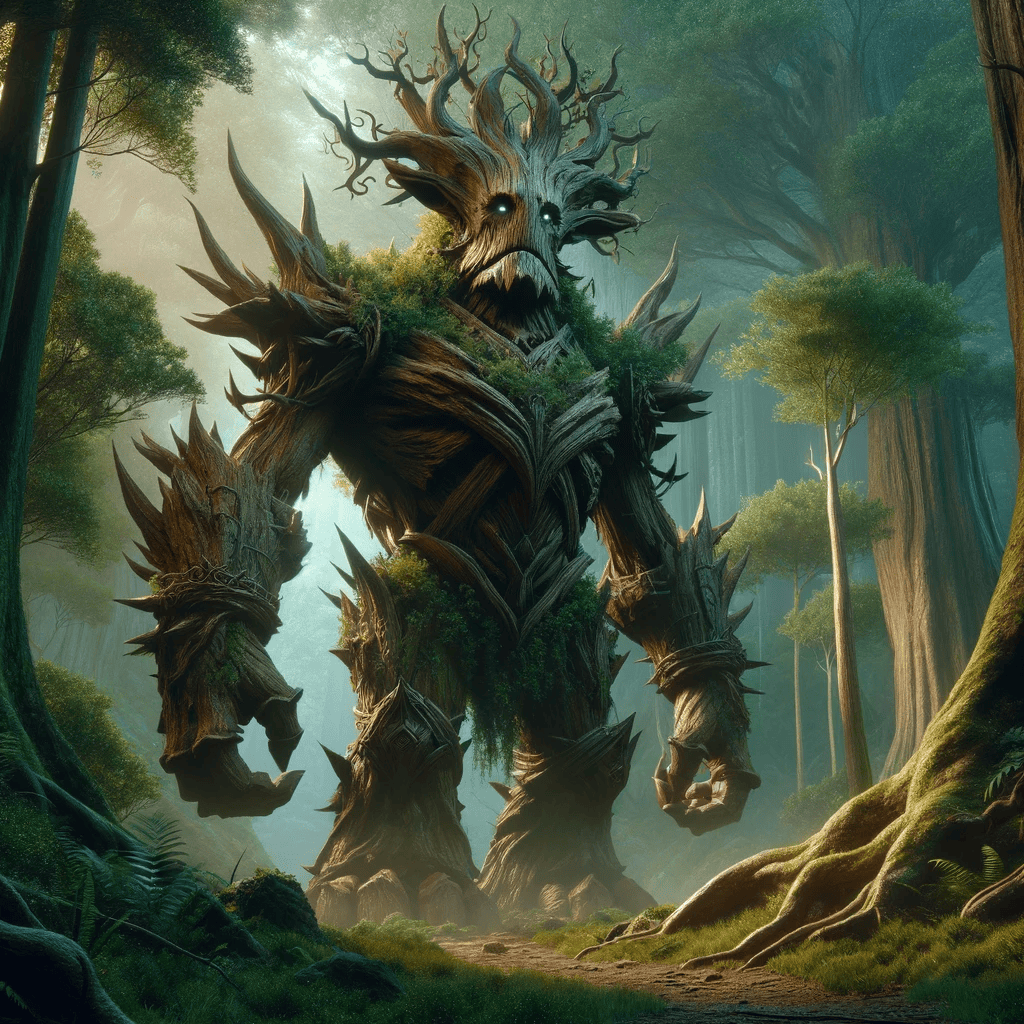
HP: 30450
Damage: 210 - 315
Min. Level: 40
Max. Level: 44
Min. Coins: 3255
Shadowstalker

HP: 27550
Damage: 190 - 285
Min. Level: 40
Max. Level: 44
Min. Coins: 2945
Blood Knight
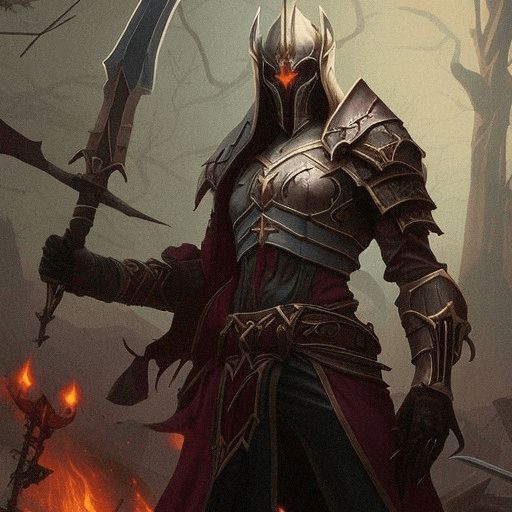
HP: 44000
Damage: 200 - 300
Min. Level: 44
Max. Level: 48
Min. Coins: 4100
Shadowroot Shambler
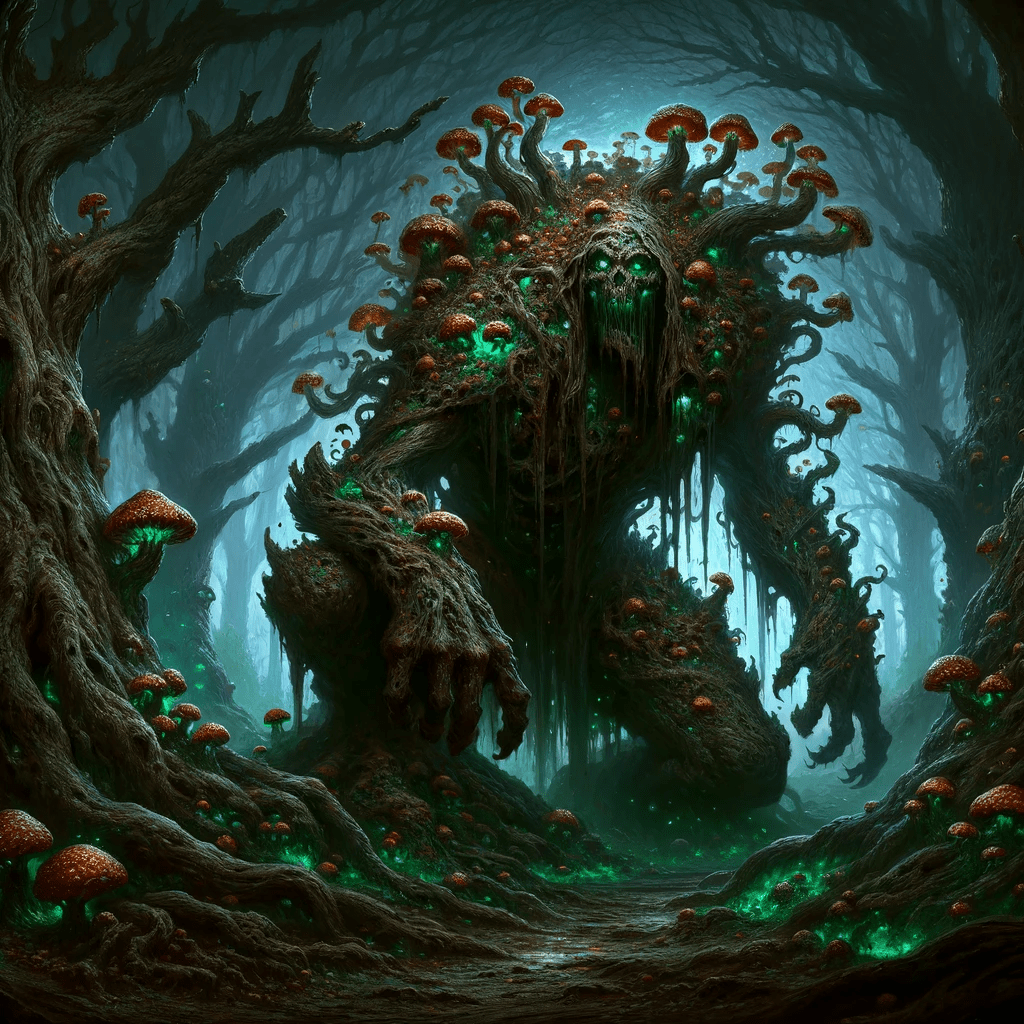
HP: 46200
Damage: 210 - 315
Min. Level: 44
Max. Level: 48
Min. Coins: 4305
Blood-tainted Dryad

HP: 41800
Damage: 190 - 285
Min. Level: 44
Max. Level: 48
Min. Coins: 3895
Ancient Warlock

HP: 57000
Damage: 200 - 300
Min. Level: 48
Max. Level: 52
Min. Coins: 6500
Arachnid Summoner

HP: 59850
Damage: 210 - 315
Min. Level: 48
Max. Level: 52
Min. Coins: 6825
Chrono-preserved Golem

HP: 54150
Damage: 190 - 285
Min. Level: 48
Max. Level: 52
Min. Coins: 6175
Corrupted Beast

HP: 85000
Damage: 200 - 300
Min. Level: 52
Max. Level: 56
Min. Coins: 8500
Manifestation of Corruption

HP: 89250
Damage: 210 - 315
Min. Level: 52
Max. Level: 56
Min. Coins: 8925
Corrupted Dryad

HP: 80750
Damage: 190 - 285
Min. Level: 52
Max. Level: 56
Min. Coins: 8075
Divine Paladin

HP: 125000
Damage: 200 - 300
Min. Level: 56
Max. Level: 61
Min. Coins: 12000
Beast of the Divine

HP: 131250
Damage: 210 - 315
Min. Level: 56
Max. Level: 61
Min. Coins: 12600
Protector of the Sands

HP: 118750
Damage: 190 - 285
Min. Level: 56
Max. Level: 61
Min. Coins: 11400
Arcane Guardian

HP: 168000
Damage: 280 - 360
Min. Level: 60
Max. Level: 64
Min. Coins: 18000
Arcane Protector

HP: 176400
Damage: 294 - 378
Min. Level: 60
Max. Level: 64
Min. Coins: 18900
Crystalized Sentinel

HP: 159600
Damage: 266 - 342
Min. Level: 60
Max. Level: 64
Min. Coins: 17100
Wailing Spirit

HP: 215000
Damage: 350 - 420
Min. Level: 64
Max. Level: 67
Min. Coins: 22000
Spirit Warrior

HP: 225750
Damage: 368 - 441
Min. Level: 64
Max. Level: 67
Min. Coins: 23100
Spiritcaller

HP: 204250
Damage: 332 - 399
Min. Level: 64
Max. Level: 67
Min. Coins: 20900
Warden of Death
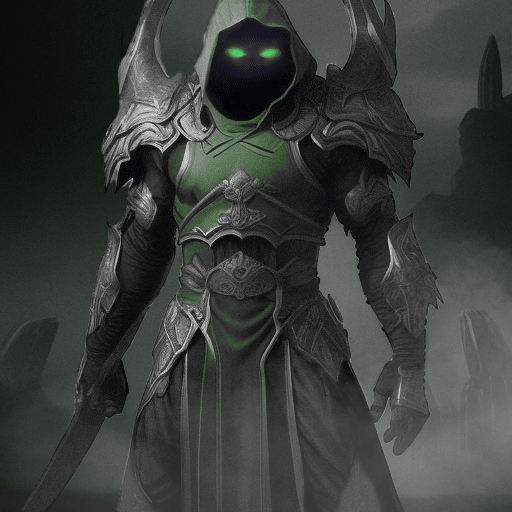
HP: 305000
Damage: 400 - 460
Min. Level: 67
Max. Level: 71
Min. Coins: 25000
Deathsworn Gladiator

HP: 320250
Damage: 420 - 483
Min. Level: 67
Max. Level: 71
Min. Coins: 26250
Exile of Hell

HP: 289750
Damage: 380 - 437
Min. Level: 67
Max. Level: 71
Min. Coins: 23750
Frozen Valkyrie

HP: 420000
Damage: 500 - 650
Min. Level: 70
Max. Level: 74
Min. Coins: 36000
Frostclaw

HP: 441000
Damage: 525 - 682
Min. Level: 70
Max. Level: 74
Min. Coins: 37800
Frost Revenant

HP: 399000
Damage: 475 - 617
Min. Level: 70
Max. Level: 74
Min. Coins: 34200
Lightning Battlemage

HP: 560000
Damage: 650 - 750
Min. Level: 74
Max. Level: 77
Min. Coins: 42000
Thunderbeast

HP: 588000
Damage: 683 - 787
Min. Level: 74
Max. Level: 77
Min. Coins: 44100
Mage of the Elements

HP: 532000
Damage: 617 - 712
Min. Level: 74
Max. Level: 77
Min. Coins: 39900
Soul Guardian

HP: 680000
Damage: 750 - 820
Min. Level: 77
Max. Level: 81
Min. Coins: 50000
Soulless Angel

HP: 714000
Damage: 787 - 861
Min. Level: 77
Max. Level: 81
Min. Coins: 52500
Soul Reaper

HP: 646000
Damage: 713 - 779
Min. Level: 77
Max. Level: 81
Min. Coins: 47500
Priestess of Light

HP: 800000
Damage: 820 - 910
Min. Level: 80
Max. Level: 84
Min. Coins: 60000
Angel of Light

HP: 840000
Damage: 861 - 955
Min. Level: 80
Max. Level: 84
Min. Coins: 63000
Light's Champion

HP: 760000
Damage: 779 - 865
Min. Level: 80
Max. Level: 84
Min. Coins: 57000
Galactic Ranger

HP: 950000
Damage: 910 - 1000
Min. Level: 84
Max. Level: 87
Min. Coins: 72000
Protector of Worlds

HP: 997500
Damage: 955 - 1050
Min. Level: 84
Max. Level: 87
Min. Coins: 75600
Crystal Leviathan

HP: 902500
Damage: 865 - 950
Min. Level: 84
Max. Level: 87
Min. Coins: 68400
Volcanic Wyvern

HP: 1100000
Damage: 1000 - 1200
Min. Level: 87
Max. Level: 91
Min. Coins: 84000
Magma Reaver

HP: 1155000
Damage: 1050 - 1260
Min. Level: 87
Max. Level: 91
Min. Coins: 88200
Volcanic Phoenix

HP: 1045000
Damage: 950 - 1140
Min. Level: 87
Max. Level: 91
Min. Coins: 79800
Deep-sea Leviathan

HP: 1260000
Damage: 1200 - 1400
Min. Level: 90
Max. Level: 94
Min. Coins: 96000
Depthstrider

HP: 1323000
Damage: 1260 - 1470
Min. Level: 90
Max. Level: 94
Min. Coins: 100800
Abyssal Abomination

HP: 1197000
Damage: 1140 - 1330
Min. Level: 90
Max. Level: 94
Min. Coins: 91200
Undead Necromancer

HP: 1380000
Damage: 1400 - 1600
Min. Level: 94
Max. Level: 97
Min. Coins: 112000
Void Whisp

HP: 1449000
Damage: 1470 - 1680
Min. Level: 94
Max. Level: 97
Min. Coins: 117600
Summoner of Death

HP: 1311000
Damage: 1330 - 1520
Min. Level: 94
Max. Level: 97
Min. Coins: 106400
Glorious Gladiator

HP: 1500000
Damage: 1700 - 2000
Min. Level: 97
Max. Level: 101
Min. Coins: 290400
Ranger of Glory

HP: 1575000
Damage: 1785 - 2100
Min. Level: 97
Max. Level: 101
Min. Coins: 310400
Glorious Phoenix

HP: 1425000
Damage: 1615 - 1900
Min. Level: 97
Max. Level: 101
Min. Coins: 300400
Tharok the Vaultwarden

HP: 6425000
Damage: 1900 - 2200
Min. Level: 99
Max. Level: 101
Min. Coins: 5800400
Forest Wolf

⭐ Rarity:  Common
💥 Damage: 7%
Increases up to 17% at level 10🕙 Attack Cooldown: 16 minutes
✨ Bonus Effects:
➡️ Cooldown Reduction:
Decreases your /attack cooldown
Bonus Value: 15s
Increases up to 30s by level 10Mountain Lynx

⭐ Rarity: Common
💥 Damage: 6%
Increases up to 16% at level 10🕙 Attack Cooldown: 13 minutes
✨ Bonus Effects:
➡️ Damage Boost:
Increases damage dealt to enemies
Bonus Value: 12%
Increases up to 24% by level 10Forest Bear

⭐ Rarity: Common
💥 Damage: 11%
Increases up to 21% at level 10🕙 Attack Cooldown: 22 minutes
✨ Bonus Effects:
➡️ Exp Boost:
Gives you additional XP
Bonus Value: 5%
Increases up to 10% by level 10Tree Spright

⭐ Rarity: Common
💥 Damage: 6%
Increases up to 16% at level 10🕙 Attack Cooldown: 40 minutes
✨ Bonus Effects:
➡️ Gold Boost:
Get additional gold from enemies and /sell
Bonus Value: 15%
Increases up to 30% by level 10Forest Mouse

⭐ Rarity: Common
💥 Damage: 6%
Increases up to 16% at level 10🕙 Attack Cooldown: 40 minutes
✨ Bonus Effects:
➡️ Profession Fortune:
Increases your profession gathers
Bonus Value: 17%
Increases up to 34% by level 10Purple Warbler

⭐ Rarity: Common
💥 Damage: 6%
Increases up to 16% at level 10🕙 Attack Cooldown: 35 minutes
✨ Bonus Effects:
➡️ Pet Spawns:
Increases the chance for a pet to spawn
Bonus Value: 4%
Increases up to 8% by level 10Lake Beaver

⭐ Rarity: Common
💥 Damage: 12%
Increases up to 22% at level 10🕙 Attack Cooldown: 25 minutes
✨ Bonus Effects:
➡️ Free Spell Chance:
Have a small chance to not use a rune when casting a spell
Bonus Value: 14%
Increases up to 28% by level 10Moonlight Bunny

⭐ Rarity: Common
💥 Damage: 7%
Increases up to 17% at level 10🕙 Attack Cooldown: 25 minutes
✨ Bonus Effects:
➡️ Free Explore Chance:
Have a small chance to not use a kit when exploring
Bonus Value: 10%
Increases up to 20% by level 10Echo Ears

⭐ Rarity: Common
💥 Damage: 15%
Increases up to 25% at level 10🕙 Attack Cooldown: 22 minutes
✨ Bonus Effects:
➡️ Item Fortune:
Chance to find special items when killing enemies
Bonus Value: 15%
Increases up to 30% by level 10Pebblepincer
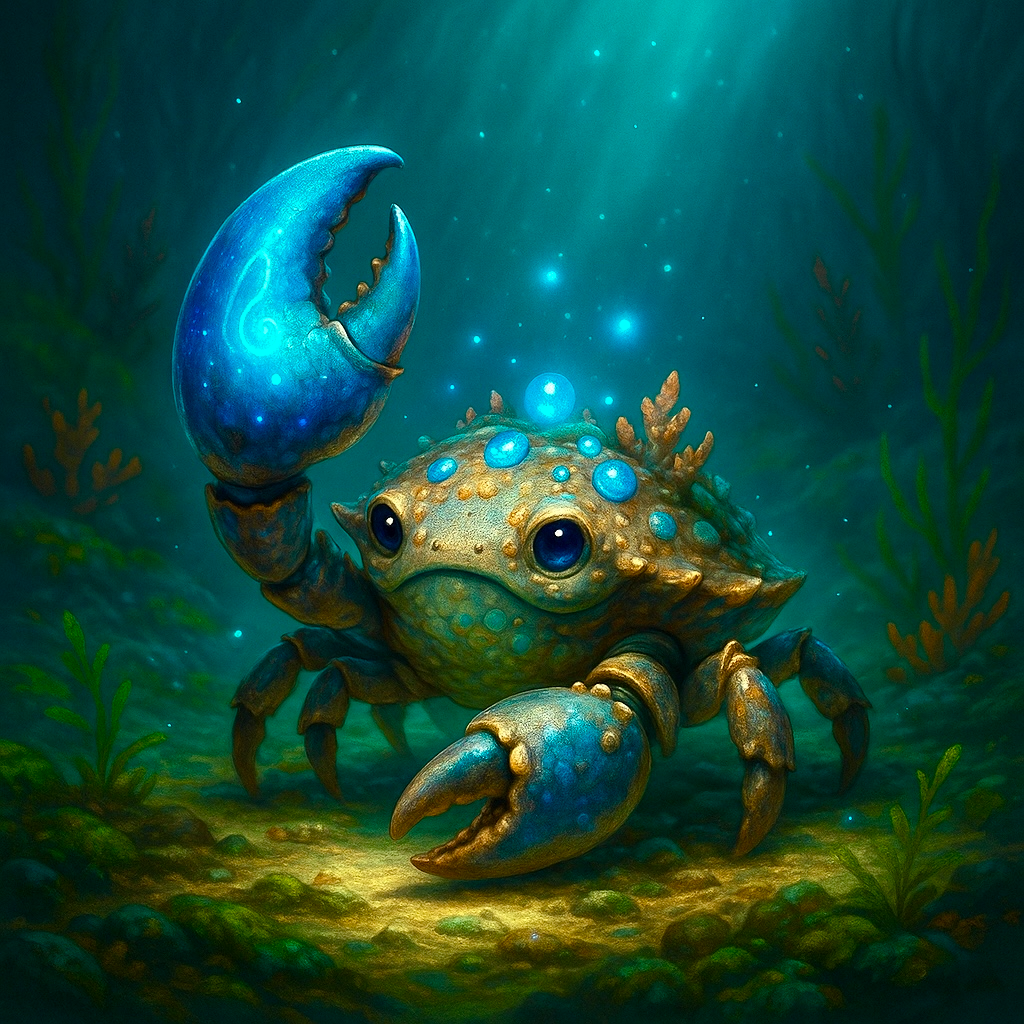
⭐ Rarity: Common
💥 Damage: 17%
Increases up to 27% at level 10🕙 Attack Cooldown: 20 minutes
✨ Bonus Effects:
➡️ Item Fortune:
Chance to find special items when killing enemies
Bonus Value: 15%
Increases up to 30% by level 10Sunbeam Deer

⭐ Rarity:  Uncommon
💥 Damage: 11%
Increases up to 21% at level 10🕙 Attack Cooldown: 12 minutes
✨ Bonus Effects:
➡️ Profession Efficiency:
Decreases your profession cooldowns
Bonus Value: 40s
Increases up to 80s by level 10Dreadscale

⭐ Rarity: Uncommon
💥 Damage: 14%
Increases up to 24% at level 10🕙 Attack Cooldown: 14 minutes
✨ Bonus Effects:
➡️ Duel Efficiency:
Decreases your duel cooldown
Bonus Value: 900s
Increases up to 1800s by level 10Azurethorn Shell

⭐ Rarity: Uncommon
💥 Damage: 36%
Increases up to 46% at level 10🕙 Attack Cooldown: 35 minutes
✨ Bonus Effects:
➡️ Cooldown Reduction:
Decreases your /attack cooldown
Bonus Value: 25s
Increases up to 50s by level 10Silkwhisker

⭐ Rarity: Uncommon
💥 Damage: 10%
Increases up to 20% at level 10🕙 Attack Cooldown: 19 minutes
✨ Bonus Effects:
➡️ Gold Boost:
Get additional gold from enemies and /sell
Bonus Value: 16%
Increases up to 32% by level 10Enchanted Armadillo
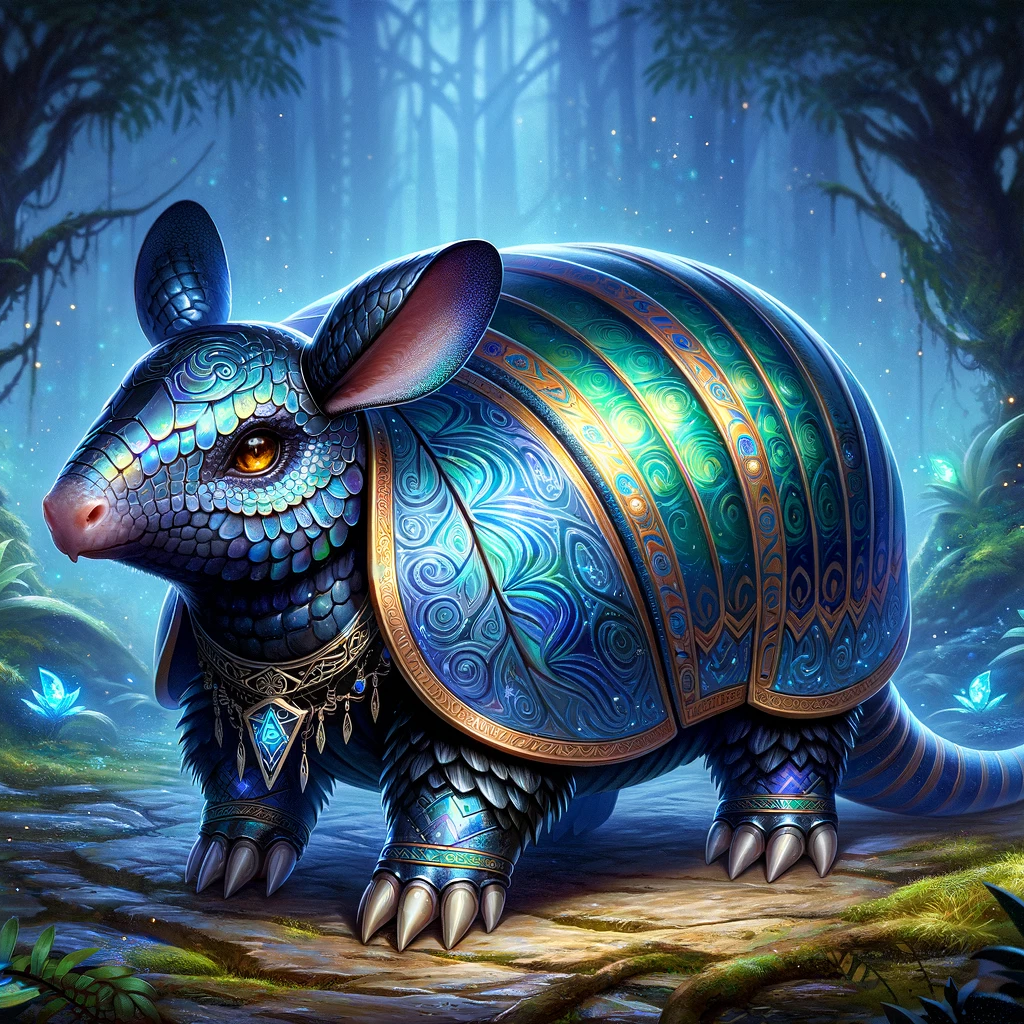
⭐ Rarity: Uncommon
💥 Damage: 9%
Increases up to 19% at level 10🕙 Attack Cooldown: 17 minutes
✨ Bonus Effects:
➡️ Profession Efficiency:
Decreases your profession cooldowns
Bonus Value: 30s
Increases up to 60s by level 10Ground Glower

⭐ Rarity: Uncommon
💥 Damage: 11%
Increases up to 21% at level 10🕙 Attack Cooldown: 40 minutes
✨ Bonus Effects:
➡️ Exp Boost:
Gives you additional XP
Bonus Value: 10%
Increases up to 20% by level 10Spellchipper

⭐ Rarity: Uncommon
💥 Damage: 12%
Increases up to 22% at level 10🕙 Attack Cooldown: 35 minutes
✨ Bonus Effects:
➡️ Profession Fortune:
Increases your profession gathers
Bonus Value: 31%
Increases up to 62% by level 10Peepgleam

⭐ Rarity: Uncommon
💥 Damage: 2%
Increases up to 12% at level 10🕙 Attack Cooldown: 10 minutes
✨ Bonus Effects:
➡️ Pet Spawns:
Increases the chance for a pet to spawn
Bonus Value: 7%
Increases up to 14% by level 10Glitter Beetle

⭐ Rarity: Uncommon
💥 Damage: 13%
Increases up to 23% at level 10🕙 Attack Cooldown: 21 minutes
✨ Bonus Effects:
➡️ Item Fortune:
Chance to find special items when killing enemies
Bonus Value: 15%
Increases up to 30% by level 10Coral Serpent

⭐ Rarity: Uncommon
💥 Damage: 28%
Increases up to 38% at level 10🕙 Attack Cooldown: 22 minutes
✨ Bonus Effects:
➡️ Spell Power:
Increases spell damage
Bonus Value: 20%
Increases up to 40% by level 10Prismweb

⭐ Rarity: Uncommon
💥 Damage: 15%
Increases up to 25% at level 10🕙 Attack Cooldown: 25 minutes
✨ Bonus Effects:
➡️ Jewel Hunter:
Chance to find jewels when killing enemies
Bonus Value: 30%
Increases up to 60% by level 10Arcane Bear

⭐ Rarity:  Rare
Rare
💥 Damage: 26%
Increases up to 36% at level 10🕙 Attack Cooldown: 17 minutes
✨ Bonus Effects:
➡️ Damage Boost:
Increases damage dealt to enemies
Bonus Value: 14%
Increases up to 28% by level 10Frostfang Elk

⭐ Rarity: Rare
💥 Damage: 22%
Increases up to 32% at level 10🕙 Attack Cooldown: 14 minutes
✨ Bonus Effects:
➡️ Free Explore Chance:
Have a small chance to not use a kit when exploring
Bonus Value: 14%
Increases up to 28% by level 10Psychic Topcat

⭐ Rarity: Rare
💥 Damage: 12%
Increases up to 22% at level 10🕙 Attack Cooldown: 41 minutes
✨ Bonus Effects:
➡️ Gold Boost:
Get additional gold from enemies and /sell
Bonus Value: 23%
Increases up to 46% by level 10Twilight Owl

⭐ Rarity: Rare
💥 Damage: 22%
Increases up to 32% at level 10🕙 Attack Cooldown: 22 minutes
✨ Bonus Effects:
➡️ Free Spell Chance:
Have a small chance to not use a rune when casting a spell
Bonus Value: 23%
Increases up to 46% by level 10Fiery Fox

⭐ Rarity: Rare
💥 Damage: 14%
Increases up to 24% at level 10🕙 Attack Cooldown: 36 minutes
✨ Bonus Effects:
➡️ Exp Boost:
Gives you additional XP
Bonus Value: 15%
Increases up to 30% by level 10Chronosnail
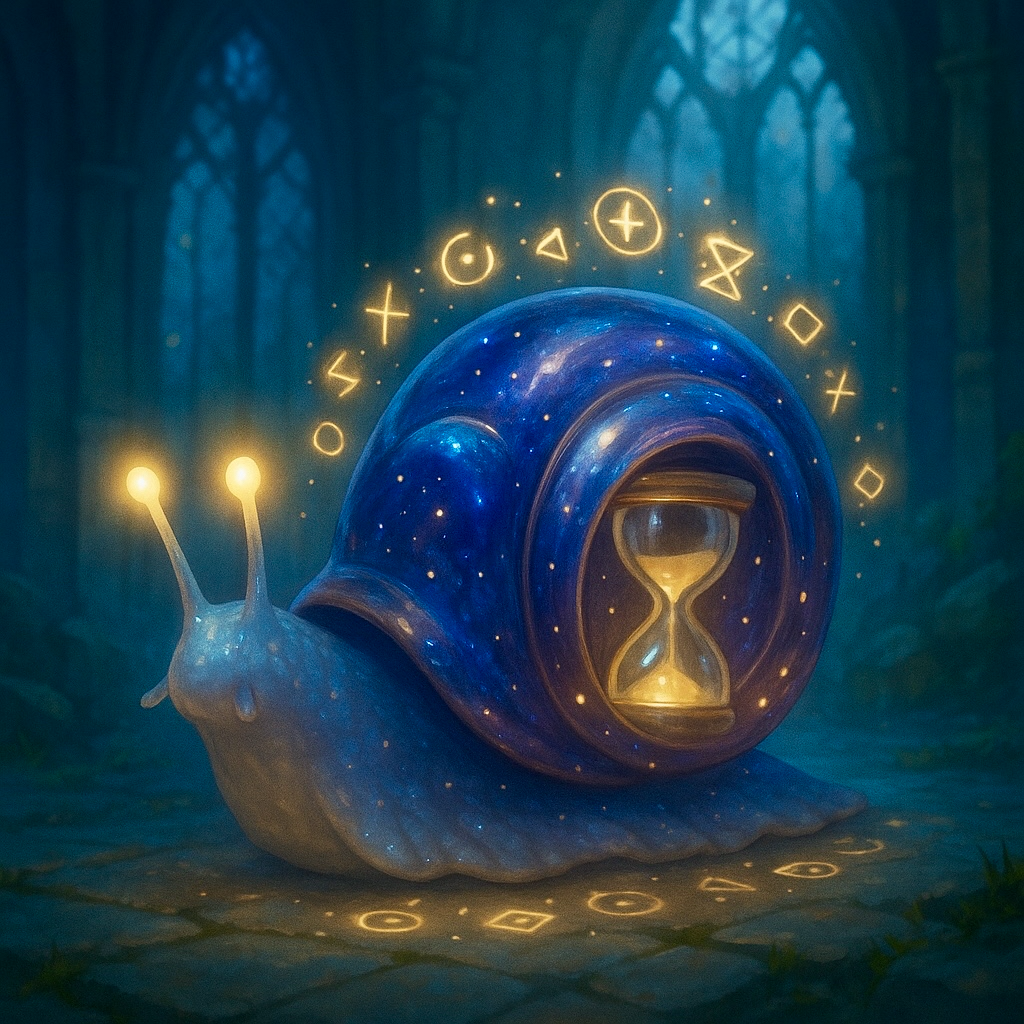
⭐ Rarity: Rare
💥 Damage: 22%
Increases up to 32% at level 10🕙 Attack Cooldown: 28 minutes
✨ Bonus Effects:
➡️ Sigil Conservation:
Chance to not consume sigil on use
Bonus Value: 18%
Increases up to 36% by level 10Mossborn Sloth

⭐ Rarity: Rare
💥 Damage: 15%
Increases up to 25% at level 10🕙 Attack Cooldown: 30 minutes
✨ Bonus Effects:
➡️ Item Fortune:
Chance to find special items when killing enemies
Bonus Value: 15%
Increases up to 30% by level 10Runetusk Narwhal

⭐ Rarity: Rare
💥 Damage: 20%
Increases up to 30% at level 10🕙 Attack Cooldown: 20 minutes
✨ Bonus Effects:
➡️ Spell Power:
Increases spell damage
Bonus Value: 28%
Increases up to 56% by level 10Obsidian Whelp

⭐ Rarity:  Epic
Epic
💥 Damage: 32%
Increases up to 42% at level 10🕙 Attack Cooldown: 17 minutes
✨ Bonus Effects:
➡️ Duel Efficiency:
Decreases your duel cooldown
Bonus Value: 1800s
Increases up to 3600s by level 10Emerald Whelp

⭐ Rarity: Epic
💥 Damage: 24%
Increases up to 34% at level 10🕙 Attack Cooldown: 17 minutes
✨ Bonus Effects:
➡️ Exp Boost:
Gives you additional XP
Bonus Value: 18%
Increases up to 36% by level 10Glimmerstag

⭐ Rarity: Epic
💥 Damage: 19%
Increases up to 29% at level 10🕙 Attack Cooldown: 18 minutes
✨ Bonus Effects:
➡️ Free Spell Chance:
Have a small chance to not use a rune when casting a spell
Bonus Value: 25%
Increases up to 50% by level 10Celestial Puppy

⭐ Rarity: Epic
💥 Damage: 14%
Increases up to 24% at level 10🕙 Attack Cooldown: 30 minutes
✨ Bonus Effects:
➡️ Pet Spawns:
Increases the chance for a pet to spawn
Bonus Value: 10%
Increases up to 20% by level 10Stormborn Griffin

⭐ Rarity: Epic
💥 Damage: 36%
Increases up to 46% at level 10🕙 Attack Cooldown: 16 minutes
✨ Bonus Effects:
➡️ Storm Strike:
Chance for a free attack after your attack
Bonus Value: 14%
Increases up to 28% by level 10Truth Seeker

⭐ Rarity: Epic
💥 Damage: 25%
Increases up to 35% at level 10🕙 Attack Cooldown: 22 minutes
✨ Bonus Effects:
➡️ Double Loot:
Chance to find double loot when exploring
Bonus Value: 30%
Increases up to 60% by level 10➡️ Kit Thief:
Pet attack guaranteed to steal an explorer kit
Bonus Value: 100%
Enchanted Mimic

⭐ Rarity: Epic
💥 Damage: 40%
Increases up to 50% at level 10🕙 Attack Cooldown: 21 minutes
✨ Bonus Effects:
➡️ Blessed Overflow:
Chance to receive double loot when opening crates
Bonus Value: 25%
Increases up to 50% by level 10➡️ Greedy Snatch:
25% chance to steal all crate loot
Bonus Value: 25%
Goldpaw

⭐ Rarity:  Legendary
💥 Damage: 40%
Increases up to 50% at level 10🕙 Attack Cooldown: 20 minutes
✨ Bonus Effects:
➡️ Golden Multiplier:
Bonus gold from kills and selling items
Bonus Value: 60%
Increases up to 120% by level 10➡️ Coin Stealing:
50% chance to steal 30% of damage as coins on pet attacks
Bonus Value: 50%
Raikin

⭐ Rarity: Legendary
💥 Damage: 45%
Increases up to 55% at level 10🕙 Attack Cooldown: 20 minutes
✨ Bonus Effects:
➡️ Critical Strike Boost:
Increases your critical hit chance
Bonus Value: 20%
Increases up to 40% by level 10➡️ Equipment Thief:
20% chance to steal equipment on pet attacks (1% epic gear)
Bonus Value: 20%
Sanguine Bear
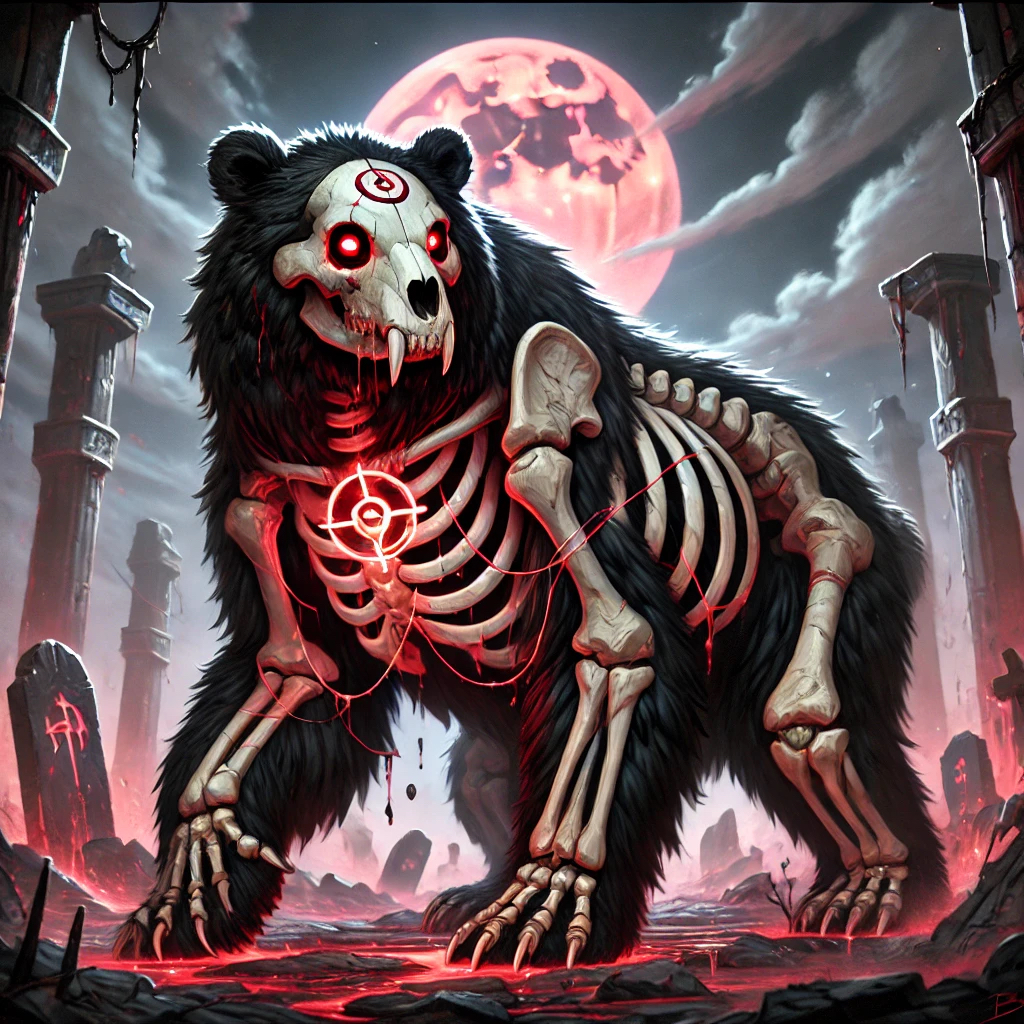
⭐ Rarity: Legendary
💥 Damage: 40%
Increases up to 50% at level 10🕙 Attack Cooldown: 18 minutes
✨ Bonus Effects:
➡️ Sanguine Damage:
Bonus attack damage
Bonus Value: 35%
Increases up to 70% by level 10➡️ Lifesteal:
Heal for a portion of damage dealt on attacks
Bonus Value: 15%
Nebula Wyrmling

⭐ Rarity:  Mythical
💥 Damage: 50%
Increases up to 60% at level 10🕙 Attack Cooldown: 15 minutes
✨ Bonus Effects:
➡️ Double Craft:
Chance to receive double items when crafting
Bonus Value: 25%
Increases up to 50% by level 10➡️ Instant Kill:
Pet attacks have a chance to instantly kill enemy
Bonus Value: 15%
Solarbound Pegasus

⭐ Rarity: Mythical
💥 Damage: 45%
Increases up to 55% at level 10🕙 Attack Cooldown: 12 minutes
✨ Bonus Effects:
➡️ Temporal Mastery:
Reduces all cooldowns by 50% after all calculations (at level 10)
Bonus Value: 25%
Increases up to 50% by level 10


